

Stripped Laptop Screw Removal: How To Fix Stuck Screws Easily
Stripped Laptop Screw Removal: How To Fix Stuck Screws Easily
Does stripped laptop screw removal really work?
Stripped laptop screw removal is possible using simple household methods and precision repair tools. Techniques like rubber band grip, super glue extraction, and correct screwdriver alignment can loosen stubborn screws safely without damaging your laptop, phone, or gaming device. Using the right approach early helps prevent costly repair mistakes and cracked components.
⏱ 8 min read
Stripped screws can turn a quick laptop repair into a frustrating nightmare. Whether you're upgrading RAM, replacing a battery, or fixing overheating issues, tiny damaged screws often refuse to move. The good news? You do not need expensive repair equipment to solve the problem. This guide covers practical stripped laptop screw removal tips, smart solutions for damaged phone screws won't budge situations, and safe methods for repairing electronics without right tools.
Have you ever tried removing a laptop screw only to watch the screwdriver spin uselessly? That tiny stripped head can stop an entire repair project in seconds.
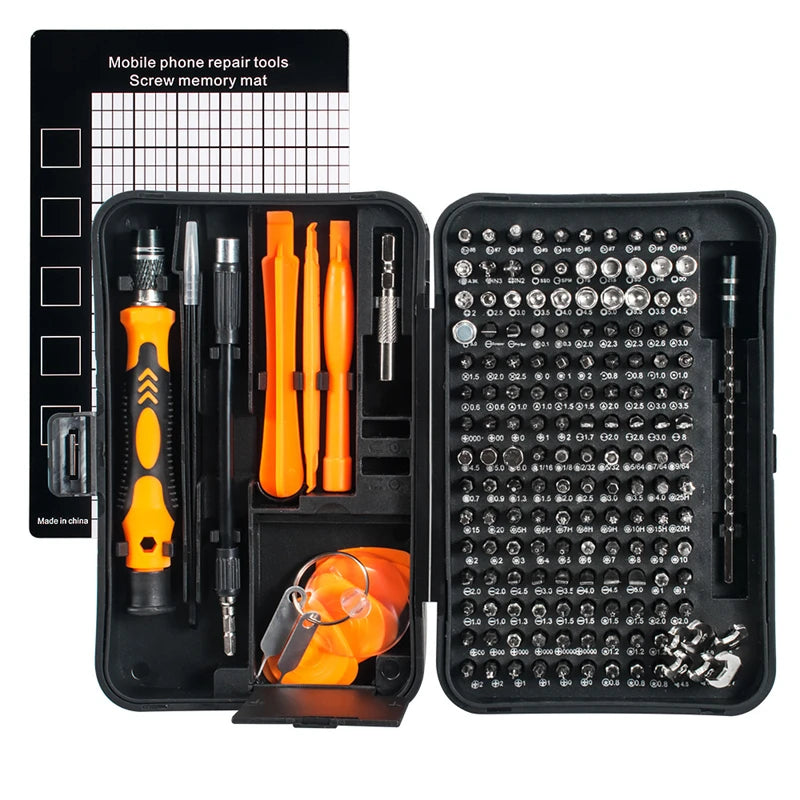
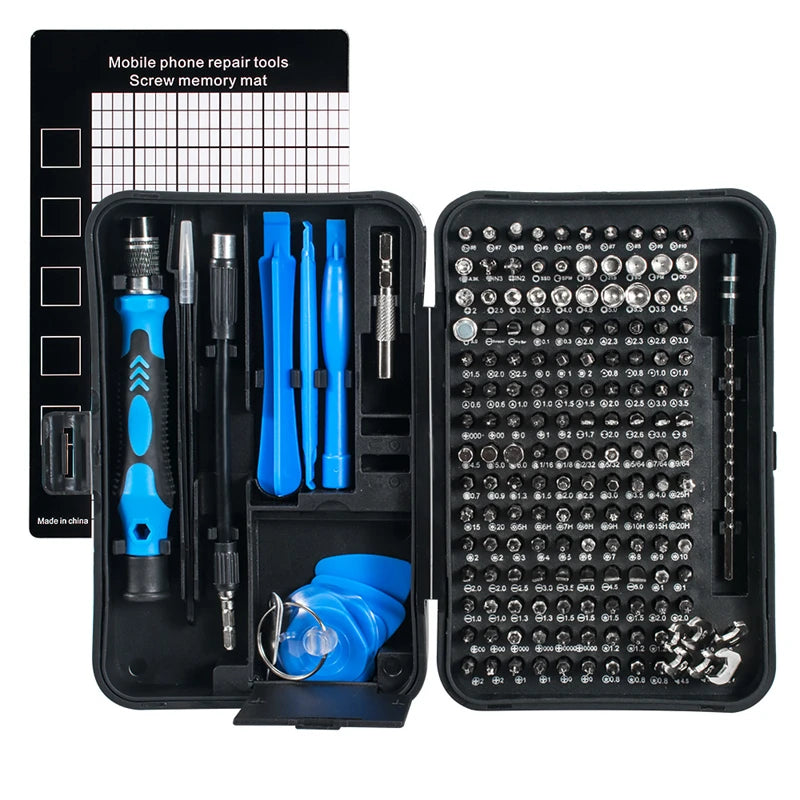
Shop the 170-in-1 Magnetic Screwdriver Set
💡 See it in action
Why Tiny Laptop Screws Get Stuck So Easily
Small electronic screws are designed to stay tightly secured. Unfortunately, their tiny heads strip easily when too much force or the wrong screwdriver size is used.
Common causes include:
- Using oversized or worn screwdrivers
- Applying too much pressure too quickly
- Factory thread-locking adhesive
- Dust, corrosion, or heat buildup
- Cheap screwdriver bits with poor grip
Laptop and phone screws are softer than standard hardware screws. This means even one incorrect turn can damage the head permanently.
Many DIY users also rush repairs in dark or cramped spaces. Better lighting from collections like Headlamps & Wearable Lights can make precision work much easier during late-night repairs or travel troubleshooting.
Best Methods for Stripped Laptop Screw Removal
Stripped laptop screw removal works best when you combine steady pressure with grip-enhancing techniques. Start with the least aggressive method first to avoid damaging the laptop casing or motherboard. Simple fixes like rubber bands or precision bits often solve the issue within minutes without drilling or permanent damage.
1. Use the Rubber Band Trick
This is one of the safest and most popular stripped laptop screw removal tips.
- Place a thick rubber band over the screw head
- Insert the screwdriver firmly into the rubber layer
- Apply slow downward pressure
- Turn carefully counterclockwise
The rubber creates extra friction between the damaged screw and screwdriver.
2. Switch to a Precision Bit Set
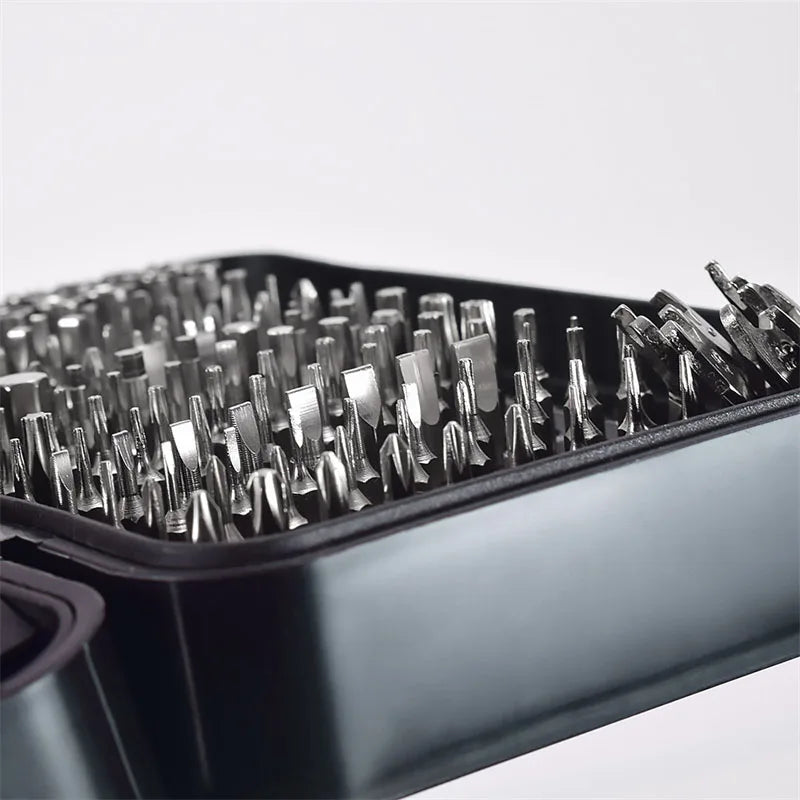
Sometimes the issue is simply poor tool fit. A precision repair kit provides multiple micro-sized bits that grip tiny screws correctly.
The 170-in-1 Magnetic Screwdriver Set is especially useful for:
- Laptop repairs
- Gaming consoles
- Smartphone repairs
- Camera maintenance
- Drone adjustments
Magnetic bits also reduce dropped screws during delicate repairs.
3. Try a Flathead Screwdriver
If a Phillips screw strips badly, a small flathead may grip the edges better.
This works especially well when:
- The screw head is partially damaged
- The grooves still have visible edges
- The screw is not deeply recessed
4. Use Super Glue Carefully
For severely damaged phone screws that won't budge, super glue can temporarily bond the screwdriver to the screw head.
Steps:
- Add a tiny drop of super glue
- Press the screwdriver into the screw
- Wait 10–20 seconds
- Turn slowly
Use minimal glue to avoid damaging nearby electronics.
5. Use Needle-Nose Pliers
If the screw head sits above the surface slightly, precision pliers can grip the outer edges.
This method works well for:
- Laptop bottom covers
- Battery compartment screws
- Loose frame screws
Step-by-Step Guide to Removing Tiny Electronic Screws
Removing tiny screws safely requires patience more than force. Following a careful process reduces the risk of cracked panels, broken screw heads, or internal damage. These tips for removing tiny electronic screws work for laptops, phones, tablets, cameras, and handheld gaming devices.
| Step | Action | Why It Helps |
|---|---|---|
| 1 | Clean the screw head | Improves tool grip |
| 2 | Choose correct bit size | Prevents additional stripping |
| 3 | Apply downward pressure | Reduces slipping |
| 4 | Turn slowly | Avoids cracking components |
| 5 | Use grip-enhancing methods | Increases friction safely |
Many repair enthusiasts organize their bits and spare screws using Gear Organizers & Pouches to avoid losing tiny components during repairs.
Explore the Magnetic Screwdriver Set
💡 See it in action
Household Hacks for Repairing Electronics Without Right Tools
Not everyone owns a professional repair toolkit. Luckily, several household items can help in emergencies.
Rubber Gloves for Extra Grip
Latex or rubber gloves improve hand stability while applying controlled pressure.
Toothpick and Baking Soda Method
Some DIY users fill stripped grooves lightly with baking soda before pressing in the screwdriver. This may improve grip temporarily.
Hot Glue Grip Method
A small amount of hot glue can create temporary friction between the screw and bit.
Elastic Bands
Wide elastic bands often work better than thin office rubber bands because they compress evenly.
Bright Portable Lighting
Poor visibility causes many repair mistakes. Portable lighting from Portable Power Banks and Emergency Lighting collections can improve precision during travel repairs or emergency fixes.
Common Mistakes That Make Screws Worse
Many stripped screw problems become permanent because of avoidable mistakes.
Using Excessive Force
More pressure does not always help. Excessive twisting often rounds the screw head completely.
Using Incorrect Screwdriver Sizes
Even slight mismatches can damage micro screws quickly.
Skipping Organization
Lost screws create unnecessary confusion during reassembly. Small containers from Camping Storage & Boxes can help organize electronics parts during DIY repairs.
Working in Poor Lighting
Shadows increase slipping risks and incorrect alignment.
Rushing the Process
Patience matters more than strength during delicate repairs.
Why a Precision Toolkit Makes Repairs Easier
The right tools reduce repair stress dramatically. Instead of improvising with kitchen knives or random bits, precision kits provide exact fits for modern electronics.
The 170-in-1 Magnetic Screwdriver Set includes:
- Precision bits for laptops and phones
- Magnetic screw retention
- Compact organized storage
- Extension tools for deep screws
- Anti-slip handles
Travelers and remote workers especially appreciate portable repair kits because damaged devices often happen during trips. Compact storage solutions from Travel, Car & Road Trip collections pair well with repair gear for mobile setups.
Real User Experience
"I almost gave up opening my gaming laptop because two screws were completely stripped. The magnetic screwdriver set and rubber band method worked within five minutes." — Jason, Colorado
"My damaged phone screws wouldn't budge for weeks. Switching to the right precision bit solved it instantly." — Mia, California
Quick Comparison of Screw Removal Techniques
| Method | Difficulty | Risk Level | Best For |
|---|---|---|---|
| Rubber Band | Easy | Low | Lightly stripped screws |
| Precision Bit Set | Easy | Low | Most electronics repairs |
| Super Glue | Moderate | Medium | Severely stripped screws |
| Pliers | Moderate | Medium | Raised screw heads |
| Drilling | Hard | High | Last-resort removal |
Helpful Repair Checklist
- ✔ Clean the screw head first
- ✔ Use proper lighting
- ✔ Match the exact screwdriver size
- ✔ Apply slow, steady pressure
- ✔ Organize screws safely
- ✔ Try low-risk methods first
💡 See it in action
Make Laptop Repairs Less Frustrating
Stripped screws do not have to ruin your repair project. With the right combination of patience, grip-enhancing techniques, and precision tools, even stubborn screws can usually be removed safely.
Whether you're fixing a gaming laptop, replacing a phone battery, or upgrading storage, having the right repair kit nearby saves time and stress.
Frequently Asked Questions
What is the safest method for stripped laptop screw removal?
The rubber band method is usually the safest starting point because it increases grip without damaging the laptop casing or motherboard.
Why do damaged phone screws won't budge?
Phone screws often use thread-locking adhesive and soft metal, making them easier to strip and harder to remove with incorrect tools.
Can I repair electronics without right tools?
Yes, temporary methods like rubber bands, pliers, or elastic grip tricks may help. However, precision toolkits provide safer and more reliable results.
What screwdriver works best for tiny electronic screws?
Precision magnetic screwdrivers with multiple interchangeable bits work best because they match exact screw sizes and improve grip.
How do I avoid stripping screws in the future?
Use the correct screwdriver size, apply slow pressure, avoid overtightening, and work under bright lighting to maintain proper alignment.
Pillar Article: Electronic Repair Toolkit: How To Fix Devices Step By Step
Other Related Articles:
- Electronics Repair Kits: How To Choose And Use Them Correctly
- Electric Repair Kit: How To Safely Fix Home Electronics
- Portable Repair Toolkit For Electronics Devices: Step-By-Step Guide
Explore More:





