

Lost Screws During Device Repair: How To Avoid And Recover Them Easily
Lost Screws During Device Repair: How To Avoid And Recover Them Easily
⏱ 8 min read
Why do lost screws during device repair happen so often?
Lost screws during device repair usually happen because tiny components roll away, get mixed together, or are removed without a storage system. Using magnetic tools, organizing trays, and proper lighting can dramatically reduce mistakes while making electronics repairs faster, safer, and far less stressful for beginners and experienced DIY users alike.
Lost screws during device repair can quickly turn a simple battery replacement or screen fix into a frustrating scavenger hunt. Tiny screws disappear into carpets, mix together on cluttered desks, or become impossible to identify during reassembly. The good news? A few smart habits and the right portable repair toolkit for electronics devices can save hours of stress while protecting delicate gadgets from accidental damage.
Have you ever spent more time searching for one missing screw than actually fixing the device?
That situation is incredibly common during phone, laptop, gaming console, and small electronics repairs. Many devices use nearly identical screws with tiny differences in length or threading. Mixing them up can damage internal components or prevent proper reassembly.
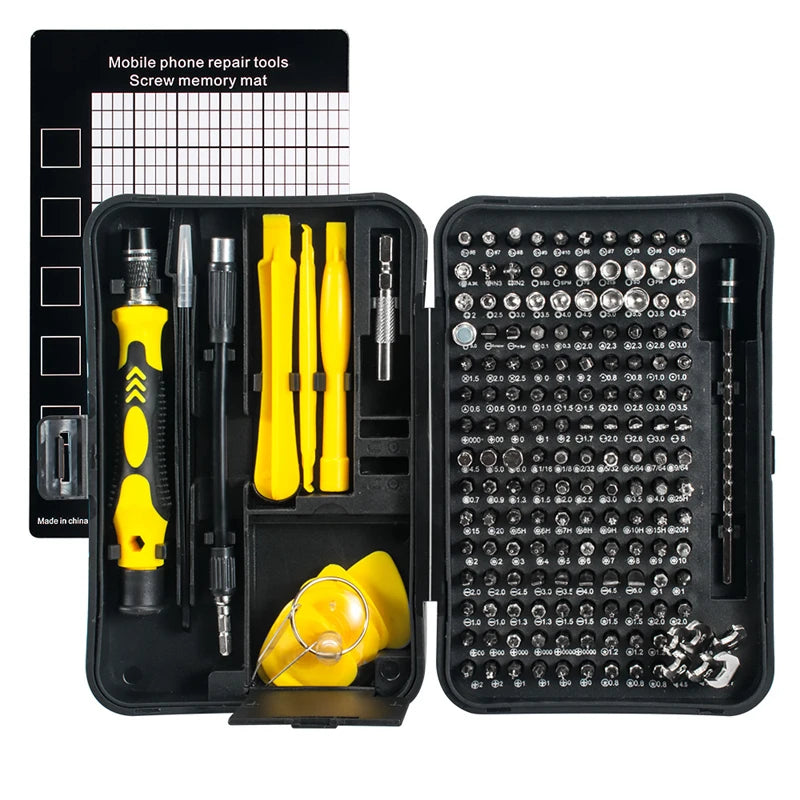
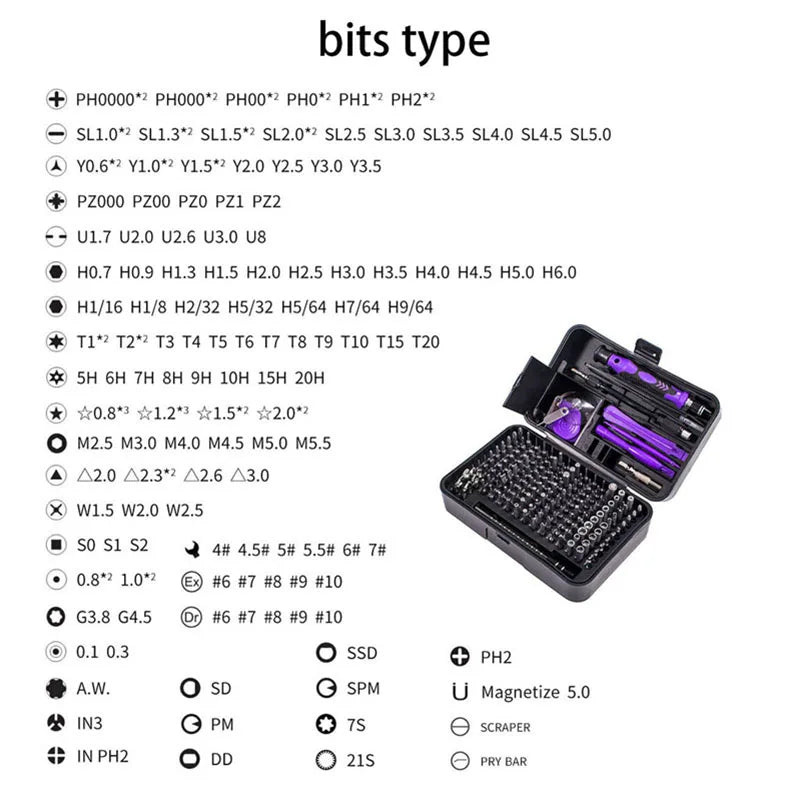
170-in-1 Magnetic Screwdriver Set
💡 See it in action
Why Tiny Screws Get Lost So Easily
Modern electronics are designed with compact layouts and miniature fasteners. A single smartphone may contain more than 15 screw types packed into tight spaces.
Here are the biggest reasons people lose screws during repairs:
- Working on cluttered surfaces
- Poor lighting conditions
- Using non-magnetic screwdrivers
- Removing multiple screws at once
- Working on fabric or carpeted surfaces
- Rushing through the repair process
Many DIY users also underestimate how easily vibration can move screws around. A slight bump to the desk can send tiny fasteners rolling off the edge instantly.
How bad organization damages electronics
Using the wrong screw in the wrong location can puncture batteries, crack displays, or damage motherboard traces. This is why learning to organize small screws during repairs matters just as much as the repair itself.
| Common Mistake | Potential Problem |
|---|---|
| Mixing screw sizes | Internal component damage |
| Using oversized screwdriver bits | Stripped screw heads |
| Repairing on soft surfaces | Screws disappear easily |
| Poor lighting | Lost parts and incorrect assembly |
How To Organize Small Screws During Repairs
Lost screws during device repair become far less common when every screw has a dedicated place immediately after removal. Small magnetic trays, labeled mats, and divided organizers help keep components separated and easy to identify during reassembly. Organized repairs also reduce stress and improve repair accuracy significantly.
The simplest repair habit can make the biggest difference: remove one screw and immediately place it into a labeled section.
Best organization methods for DIY repairs
- Use magnetic screw trays to prevent rolling
- Label screw groups by device section
- Take photos during every repair step
- Arrange screws in removal order
- Keep replacement parts separate from original screws
Many experienced repair enthusiasts also use compact storage solutions similar to Gear Organizers & Pouches to keep precision tools and small parts organized while traveling or working remotely.
Good lighting is equally important. Portable lighting setups inspired by Headlamps & Wearable Lights help reduce eye strain and make tiny screw placement much easier.
Why magnetic tools matter
Magnetic screwdriver tips provide better control during installation and removal. Tiny screws stay attached to the driver instead of slipping into the device body.
That becomes especially useful when repairing:
- Smartphones
- Gaming controllers
- Laptops
- Smartwatches
- Wireless earbuds
- Portable gaming systems
Explore the 170-in-1 Magnetic Screwdriver Set
Why a Portable Repair Toolkit Makes Repairs Easier
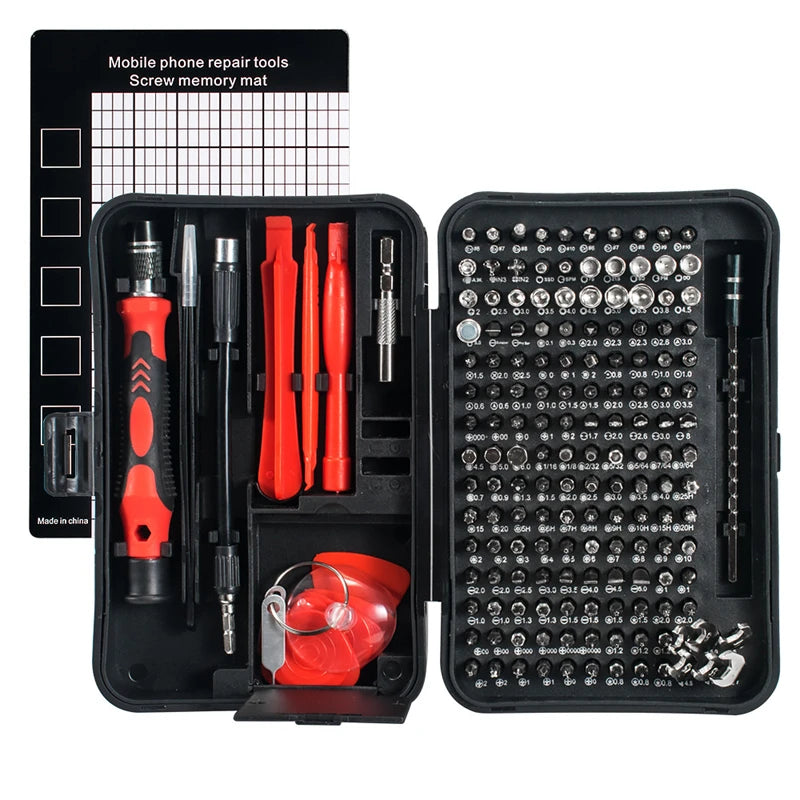
A portable repair toolkit for electronics devices keeps all precision bits, pry tools, tweezers, and screwdrivers in one organized system. Instead of improvising with random household tools, users gain better control, reduce screw damage, and improve repair speed while protecting delicate electronics from accidental scratches or stripped screws.
One of the biggest repair mistakes is relying on random household screwdrivers. Kitchen knives, oversized Phillips drivers, and cheap generic tools often damage screws immediately.
A quality toolkit should include:
- Precision magnetic bits
- Tweezers
- Plastic pry tools
- Flexible extension shafts
- Magnetic screw mats
- Storage compartments
Many DIY users compare a repair kit to outdoor organization systems like Camping Storage & Boxes because everything stays sorted and accessible during use.
💡 See it in action
Features that help beginners most
| Toolkit Feature | Why It Helps |
|---|---|
| Magnetic bits | Prevents screw drops |
| Labeled bit sizes | Reduces confusion |
| Compact storage case | Keeps tools organized |
| Anti-slip handle | Improves precision |
Users who travel frequently often store their kits alongside Car Organizers & Storage products so tools remain accessible during road trips, remote work, or emergency device repairs.
Tips for Removing Tiny Electronic Screws Safely
Tips for removing tiny electronic screws start with using the correct bit size and steady downward pressure. Magnetic drivers, proper lighting, and slow controlled movements prevent stripped screws while reducing the risk of dropping or losing components inside delicate devices during repair.
Tiny screws strip surprisingly fast. Once damaged, removal becomes much harder and sometimes requires drilling or extraction tools.
Smart techniques for safer screw removal
- Apply gentle downward pressure
- Turn slowly instead of forcing rotation
- Use precision magnetic bits only
- Avoid angled screwdriver positions
- Keep hands dry for better grip
- Use anti-static work surfaces
Some repair enthusiasts also use compact work lighting similar to gear from Lighting & Power collections to improve visibility during late-night repairs.
What causes stripped screws?
The most common causes include:
- Wrong screwdriver size
- Excessive force
- Cheap low-quality bits
- Worn screwdriver tips
- Rushing the repair
A magnetic precision set dramatically lowers these risks while improving confidence for first-time repair users.
The Risks of Repairing Electronics Without Right Tools
Repairing electronics without right tools often leads to stripped screws, cracked casings, damaged batteries, and incomplete repairs. Precision repair kits are designed specifically for sensitive electronics and provide better grip, accuracy, and safety compared to household tools that were never intended for delicate device components.
Improvising with random tools may seem harmless initially, but small mistakes can become expensive very quickly.
Common problems caused by improper tools
- Damaged screw heads
- Scratched device frames
- Broken screen clips
- Internal cable tears
- Battery punctures
- Lost warranty protection
Many users discover that a quality repair kit actually saves money over time because devices stay repairable instead of becoming permanently damaged.
Protective gloves from Gloves & Protective Gear collections can also improve grip and reduce accidental slips during more complicated repairs.
Shop the 170-in-1 Magnetic Screwdriver Set
Best Ways To Recover Lost Screws Quickly
Even experienced repair users lose screws occasionally. The difference is that they know how to recover them efficiently.
Fast recovery methods that actually work
- Use a magnetic pickup tool
- Check clothing folds and sleeves
- Search with flashlight angles
- Inspect keyboard trays and desk edges
- Use white paper under the workspace
- Vacuum carefully with cloth over nozzle
Bright portable lighting solutions similar to Emergency Lighting gear make tiny metallic screws easier to spot on dark floors.
Why carpets are the worst repair surface
Carpets absorb sound and hide tiny components instantly. Hard flat surfaces work much better because screws remain visible and easier to recover.
Many DIY users prefer portable folding workspaces similar to Folding Chairs & Tables setups because they create stable repair environments anywhere.
A Real DIY Repair Story
Kevin, a gaming enthusiast from Colorado, attempted to replace a drifting joystick on his controller using a basic household screwdriver. Within minutes, two screws rolled under the couch while another stripped completely.
After switching to a magnetic precision toolkit, he completed the repair in less than 30 minutes.
His biggest lesson?
"The repair itself wasn't difficult. Staying organized was the real challenge."
Stories like this are extremely common among beginners attempting repairs without proper preparation.
💡 See it in action
Simple Repair Setup Checklist
Before opening any device, prepare your workspace properly.
| Repair Essential | Purpose |
|---|---|
| Magnetic screwdriver set | Secure screw handling |
| Bright lighting | Improved visibility |
| Storage tray | Organize screws safely |
| Clean hard surface | Prevents screw loss |
| Tweezers | Precision handling |
Some users even carry compact repair gear inside Lightweight Daypacks for mobile tech work, travel repairs, or gaming tournaments.
Frequently Asked Questions
How do I stop losing screws during electronics repair?
Use magnetic trays, organize screws by section, and work on a clean hard surface with proper lighting. A magnetic precision screwdriver set also helps prevent screws from slipping during removal.
What is the best portable repair toolkit for electronics devices?
The best repair kits include magnetic precision bits, pry tools, tweezers, extension shafts, and organized storage compartments. Compact magnetic kits are especially useful for laptops, phones, and gaming devices.
Can I repair electronics without specialized tools?
Basic repairs may still be possible, but improper tools dramatically increase the risk of stripped screws, damaged components, and incomplete repairs. Precision tools improve both safety and repair success.
What should I do if a screw falls inside a device?
Stop moving the device immediately. Use a magnetic pickup tool or carefully tilt the device over a clean surface. Avoid powering it on until the loose screw is removed.
Why are magnetic screwdrivers helpful?
Magnetic drivers hold tiny screws securely during removal and installation, reducing drops, speeding up repairs, and helping users maintain better control over delicate electronics.
Lost screws during device repair do not have to ruin your next DIY project. With better organization habits, proper lighting, and a reliable magnetic toolkit, repairs become faster, cleaner, and far less stressful. The smallest tools often make the biggest difference when working with delicate electronics.
Pillar Article: Repairing Electronic Devices For Beginners: Safe Home Fixes Guide
Other Related Articles:
Explore More:





